> For the complete documentation index, see [llms.txt](https://docs.butane.dev/llms.txt). Markdown versions of documentation pages are available by appending `.md` to page URLs; this page is available as [Markdown](https://docs.butane.dev/get-started.md).
# Get started
Set up a wallet and connect to Butane.
{% stepper %}
{% step %}
### Set up a wallet
We recommend [Lace](https://www.lace.io/). The app also officially supports [Eternl](https://eternl.io) and, on mobile, [Tokeo](https://tokeo.io/).
You can also connect a compatible wallet through WalletConnect (beta). Other wallets may also work. When you connect, the app lists any it detects under **Also detected**.
{% endstep %}
{% step %}
### Fund it with ADA
Once the wallet is installed and backed up, it needs ADA to pay transaction fees. You can buy ADA on an exchange and withdraw it to the wallet.
{% endstep %}
{% step %}
### Connect to Butane
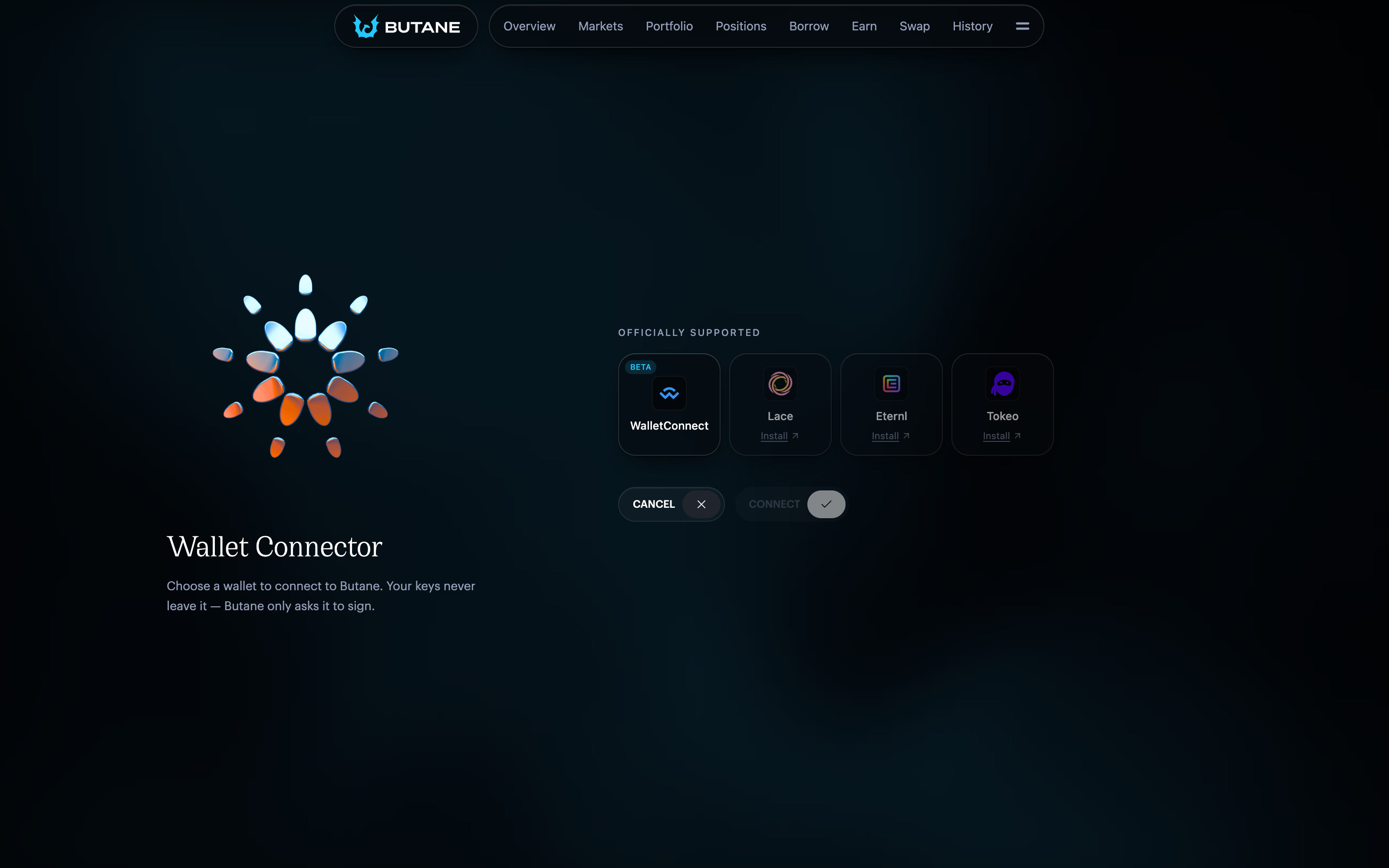
Open the [Butane app](https://butane.dev/app) and select **Connect Wallet** in the top right. In the **Wallet Connector**, select your wallet, select **Connect**, then approve the request in the wallet.
Choosing a wallet in the Wallet Connector.
{% endstep %}
{% endstepper %}
To borrow, you also need collateral that the market accepts. Each market lists its collateral on **Markets**. To get BTN or a synthetic, see [BTN and synthetics](/reference/btn-and-synthetics.md).
## Try Butane on Preview
Preview is Cardano's test network. Butane runs there with test assets that have no monetary value, so you can try every part of the app without risking funds.
1. Switch your wallet to the Preview network. Mainnet ADA cannot be used there.
2. Request test ADA from the [Cardano testnet faucet](https://docs.cardano.org/cardano-testnets/tools/faucet/), with **Preview** selected as the network.
3. Open the [Butane Preview app](https://aesthetic-ui-pass-app.stitch-wheat-0l8354.workers.dev/app) and connect your wallet.
4. Open the wallet menu in the top right and select **Settings**. Under **Preview**, open the **Test collateral** faucet, select the assets and the amount of each, then mint them and sign the transaction.
Preview markets use test parameters, so their rates, conversion rates and lock periods differ from Mainnet.
## Find your way around
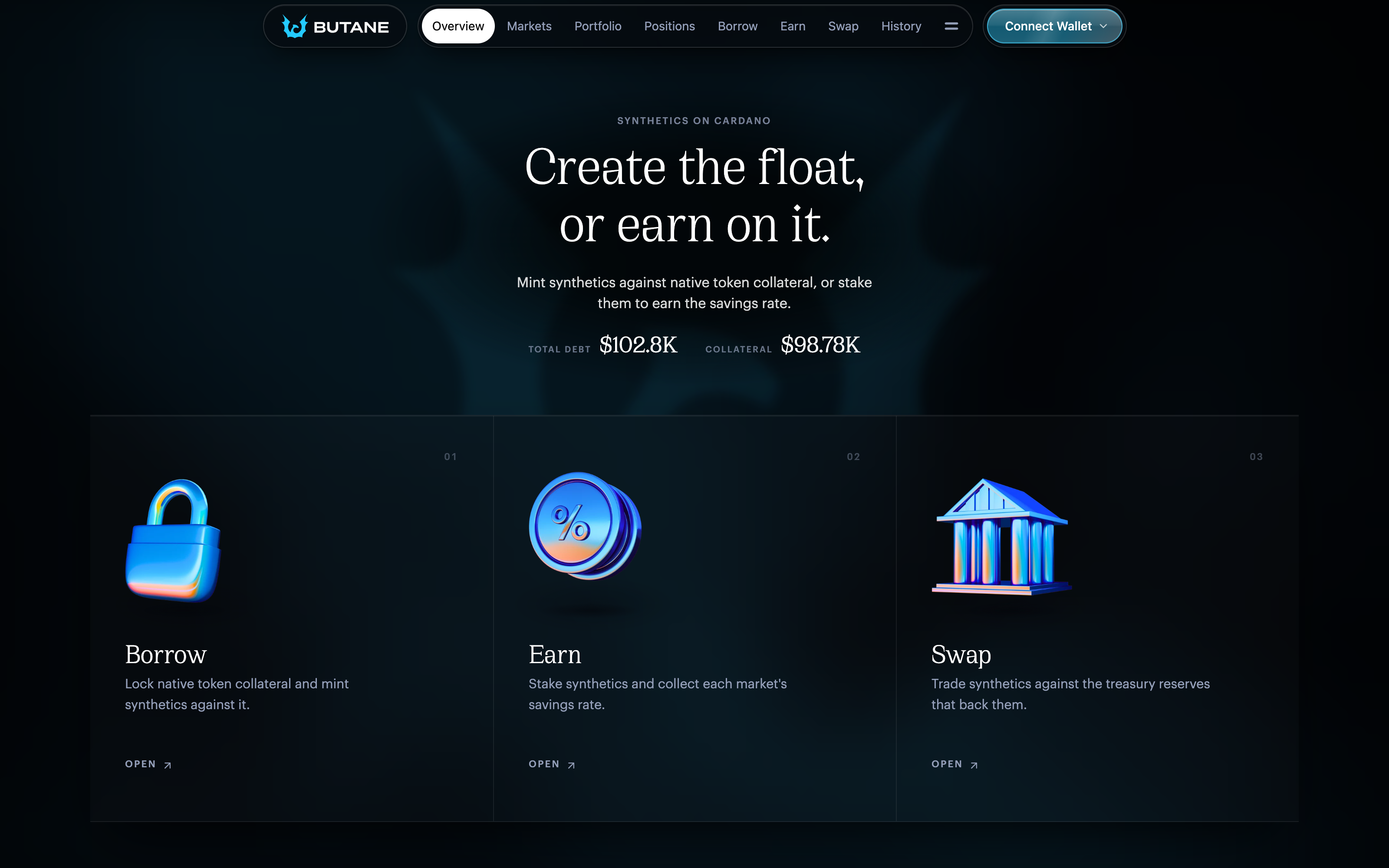
The Overview page.
* **Overview** shows the protocol's total debt and collateral.
* **Markets** lists the synthetic markets and their [parameters](/reference/market-parameters.md).
* **Portfolio** summarises your wallet assets, collateral, staked synthetics, debt and position health.
* **Positions** is where you [manage your CDPs](/use-butane/manage-positions.md), and [liquidate or redeem](/use-butane/liquidate-and-redeem.md) other people's.
* **Borrow**, **Earn** and **Swap** open a CDP, stake a synthetic and swap one. See [Borrow](/use-butane/borrow.md), [Earn](/use-butane/earn.md) and [Swap](/use-butane/swap.md).
* **History** lists the actions made from the connected wallet, or across the whole protocol.
## Action composability
Butane can put many actions into one transaction, across several CDPs and markets. You can repay one CDP and open another, liquidate several CDPs at once, or act in several markets, then sign once. The transaction goes through as a whole or not at all, so you are never left halfway through.
In the app this is **Bundle actions**, in **Settings**, and it is on by default. Actions you confirm on Positions and Borrow are collected into one transaction, and each shows a notice with an **Undo** option. When you are ready, select **Review Transaction**, the cart button in the header (at the bottom of the screen on mobile). The review lists every action with the assets paid and received and the fees. Select **Confirm transaction** and sign in your wallet.
With **Bundle actions** off, each action is submitted on its own as soon as you confirm it. Staking, unstaking and swapping are always submitted as their own transactions.